OS
Olyver SturdivantAI PMS Integration for Orthodontic Clinics: What Actually Works in 2026
Key Takeaways
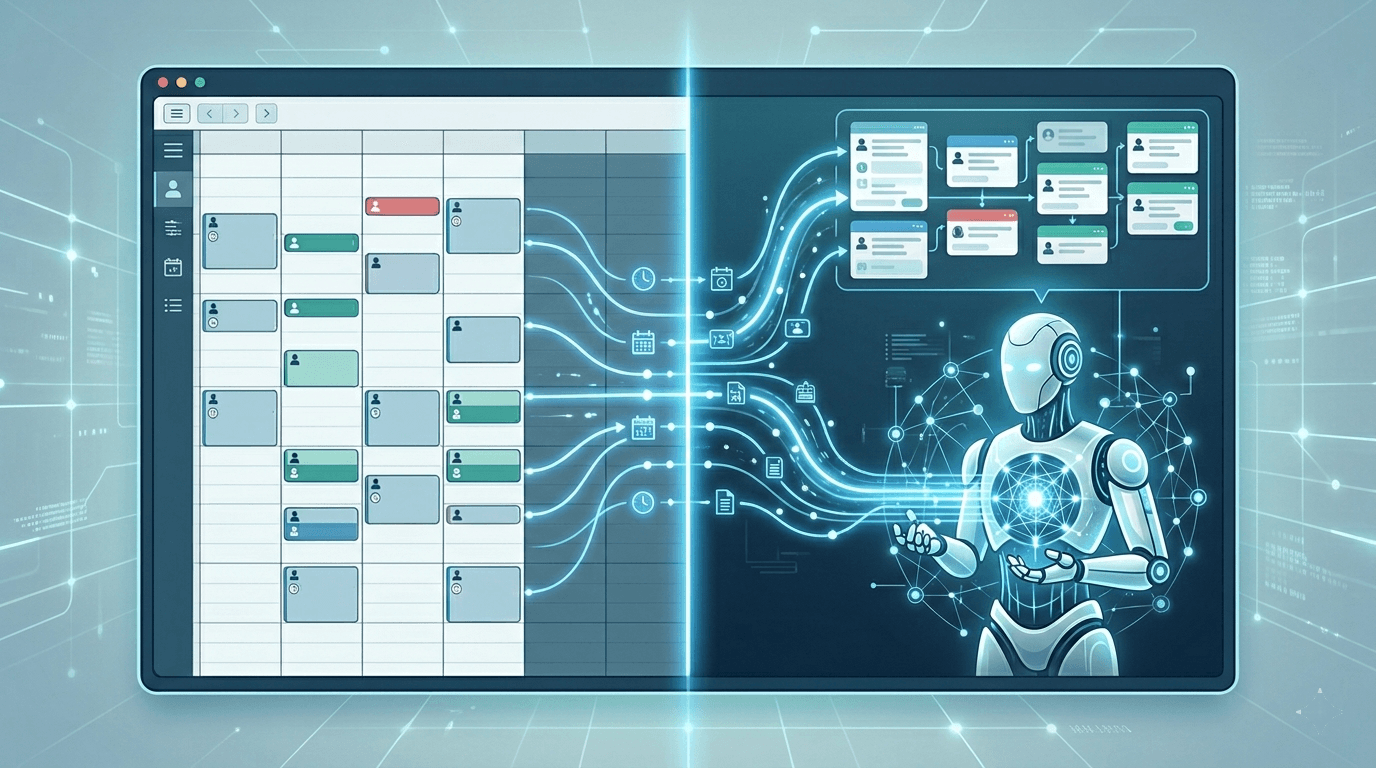
- AI PMS integration means an AI system can read from and write to your practice management software in real time, not just send you a notification after the fact.
- Most AI tools that claim PMS integration actually offer one-directional connections: they pull schedule data but cannot book, modify, or verify anything inside the PMS.
- Orthodontic clinics face a unique integration challenge because Cloud 9, Dolphin, and Ortho2 use different architectures than the general dental PMS platforms most AI vendors build for first.
- The integration layer between your AI front desk and your PMS determines whether the tool saves your team time or creates more work.
TL;DR: There are three levels of AI PMS integration: read-only (pulls schedule but can't book), bidirectional (books appointments), and workflow-aware (understands orthodontic scheduling logic). Most vendors claiming "PMS integration" for Cloud 9, Dolphin, or Ortho2 are at level one. Evaluate by requesting a live demo on your specific platform.
Every AI receptionist company in dentistry says they "integrate with your PMS." It is one of the most common claims in the category and one of the least specific. The phrase means very different things depending on who is saying it, and understanding the difference is worth real money to your clinic.
If you run an orthodontic office on Cloud 9, Dolphin, or Ortho2, the integration question matters more than it does for a general dental clinic on Open Dental or Dentrix. The orthodontic PMS market is smaller, the platforms are more specialized, and most AI vendors did not build their first integration for your system. That creates gaps that show up on day one.
What AI PMS Integration Actually Means
There are three levels of PMS integration in the AI front desk category. Most vendors operate at level one. A few operate at level two. Almost nobody operates at level three for orthodontic-specific platforms.
Level one: read-only access. The AI can pull your schedule and see available appointment slots. It cannot write anything back to the PMS. When a patient calls and wants to book, the AI collects their information and sends your team a message. A staff member then manually enters the appointment into the PMS. This is not integration. This is a sophisticated answering service.
Level two: bidirectional scheduling. The AI can read available slots and write new appointments directly into the PMS. The patient calls, the AI identifies an appropriate slot, and the appointment appears on your schedule without staff involvement. This is functional integration. But it still has limits. The AI may not understand orthodontic appointment types, chair time requirements, or provider-specific scheduling rules.
Level three: workflow-aware integration. The AI understands orthodontic scheduling logic. It knows the difference between a new patient exam, a records appointment, a bonding appointment, and a monthly adjustment. It respects provider preferences, location-specific rules, and appointment type durations. It can verify insurance eligibility during the call and attach that data to the patient record. This level requires the AI vendor to have built specifically for orthodontic workflows, not just connected to your PMS API.
The distinction matters because orthodontic scheduling is fundamentally different from general dental scheduling. A general dentist books 30-minute or 60-minute appointments with relatively uniform chair time. An orthodontist might have seven different appointment types with durations ranging from 15 minutes to 90 minutes, each requiring different clinical setups and provider availability windows.
The Orthodontic PMS Integration Problem
Most AI receptionist platforms entered the market through general dentistry. That means their first integrations were with Dentrix, Eaglesoft, and Open Dental. These platforms collectively serve the majority of general dental clinics in the United States and have well-documented APIs or integration pathways.
Cloud 9, Dolphin, and Ortho2 are different. They serve a much smaller market of roughly 12,000 orthodontic locations. Their APIs and integration architectures vary significantly from general dental platforms. Building a native integration with Cloud 9 is not the same engineering task as building one with Dentrix.
This creates a common pattern in the market: an AI vendor says they support "65+ PMS platforms" but their Cloud 9 integration sends an email notification while their Dentrix integration books directly into the schedule. Both technically qualify as "integration." Only one of them is useful.
When evaluating any AI tool that claims PMS integration with your orthodontic system, ask these specific questions:
Can the AI book an appointment directly into my PMS without staff involvement? Can it distinguish between appointment types? Can it respect my scheduling rules and provider preferences? Does the integration work in real time or is there a sync delay? What happens if the schedule changes between when the AI offers a slot and when the patient confirms?
If the vendor cannot answer these questions with specifics for your exact PMS platform, the integration is either incomplete or in development.
How Bridge APIs Like Sikka Work
Many AI tools connect to orthodontic PMS platforms through bridge APIs rather than direct integrations. Sikka is the most common example. Sikka acts as a middleware layer that connects third-party applications to practice management software, including Cloud 9, Dolphin, Ortho2, and Dentrix.
Bridge APIs offer a practical advantage: they allow AI vendors to connect to multiple PMS platforms through a single integration rather than building separate connections to each one. This accelerates development timelines and reduces engineering cost.
But bridge APIs also introduce trade-offs. Data passes through an additional layer, which can add latency. The breadth of data available through the bridge may be narrower than what a direct API connection provides. And the AI vendor's scheduling capabilities are constrained by what the bridge API exposes, which may not include every scheduling rule or appointment type your PMS supports.
For orthodontic clinics, the question is not whether a bridge API is good or bad. It is whether the specific implementation handles your workflows correctly. A well-built integration through Sikka that books appointments, verifies insurance, and respects your scheduling logic is more valuable than a poorly built direct API connection that only reads your schedule.
What CRS Integration Adds
Beyond PMS integration, some orthodontic clinics use a separate CRS (customer relationship system) or lead management tool to track new patient inquiries from initial contact through treatment start. Gaidge, OrthoFi, and various CRM platforms serve this function.
AI PMS integration and CRS integration serve different purposes. PMS integration handles the operational workflow: booking the appointment, attaching patient data, managing the schedule. CRS integration handles the pipeline workflow: tracking where a lead came from, what stage they are in, and whether they converted to a start.
When both integrations work together, the data picture is complete. The AI answers a call, books the appointment into the PMS, and logs the lead source and interaction details into the CRS. Your team sees the appointment on the schedule and the lead in the pipeline without double entry.
When only one integration exists, your team fills the gap manually. If the AI books into the PMS but does not update the CRS, someone has to log the lead source by hand. If the AI updates the CRS but does not book into the PMS, someone has to enter the appointment manually. Either gap adds work and introduces the possibility of data falling through the cracks.
Most AI front desk tools do not offer CRS integration for orthodontic clinics. This is partly because the CRS landscape in orthodontics is fragmented and partly because most AI vendors have not yet reached the level of integration depth where CRS connectivity becomes a development priority. But for clinics that track their funnel metrics seriously, it is worth asking about.
What to Evaluate Before Buying
If you are considering an AI tool that claims PMS integration for your orthodontic clinic, here is a practical evaluation framework. For a broader look at the AI receptionist landscape and how to compare vendors, start with the specific questions below.
Request a live demonstration using your PMS. Not a recording. Not a demo on Dentrix. Watch the AI book an appointment into your specific platform while you observe.
Test the scheduling logic. Ask the AI to book a new patient exam, then ask it to book a records appointment. See whether it assigns the correct appointment type, duration, and provider. If it treats every appointment as a generic 30-minute slot, the integration is surface-level.
Ask about sync frequency. Does the AI see schedule changes in real time, or does it pull schedule data on a fixed interval? If a staff member books a patient at 2:00 PM and the AI offers that same slot to a caller at 2:05 PM, you have a double-booking problem.
Check the fallback. What happens when the AI encounters a scheduling scenario it cannot handle? Does it transfer the call to your team? Does it take a message? Does it hang up? The fallback protocol matters as much as the primary workflow.
Verify insurance integration depth. PMS integration for scheduling is table stakes. The higher-value question is whether the AI can verify orthodontic insurance eligibility during the call and attach the result to the patient record. Orthodontic insurance verification involves lifetime maximums, age limits, waiting periods, and coordination of benefits, which is significantly more complex than a dental eligibility check.
Orthia integrates directly with Cloud 9, Dolphin, Ortho2, and other orthodontic PMS platforms. See how the integration works.
The Integration Question Is Really a Workflow Question
AI PMS integration is not a checkbox feature. It is the difference between a tool that removes work from your front desk team and a tool that creates a different kind of work.
A well-integrated AI front desk makes your PMS more valuable because it fills the PMS with data that would otherwise be lost to missed calls, after-hours inquiries, and voicemail. A poorly integrated AI front desk becomes another system your team has to monitor, reconcile, and clean up after.
The integration quality determines which category the tool falls into for your clinic. Evaluate accordingly.
Frequently Asked Questions
AI PMS integration means an artificial intelligence system connects directly to your orthodontic clinic management software to read schedule availability, book appointments, and manage patient data without requiring manual staff entry. For orthodontic clinics, this integration must handle specialty-specific scheduling logic including different appointment types, durations, and provider rules.
Cloud 9, Dolphin, Ortho2, and Dentrix Ascend all support some level of third-party AI integration, either through direct APIs or bridge platforms like Sikka. The depth of integration varies significantly by AI vendor.
Yes, depending on the AI vendor and integration architecture. Some AI front desk platforms, including Orthia, offer direct appointment booking into Cloud 9 and Ortho2. Others offer read-only access or notification-based workflows that still require manual staff entry.
PMS integration handles operational tasks like scheduling, patient records, and insurance data. CRS integration handles pipeline management tasks like lead tracking, conversion metrics, and referral source attribution.
Ask for a live demonstration on your specific PMS platform. Watch the AI book an appointment, check whether it assigns the correct appointment type and duration, and verify that the data appears correctly in your PMS.
OS
Olyver Sturdivant
Contributing writer at Orthia AI.
Related Articles
AI Automation
AI Receptionist with PMS Integration: What Real Integration Looks Like vs. What Vendors Claim
Read more

Industry Insights
Cloud 9 vs Dolphin vs Ortho2: What Your Orthodontic PMS Can and Cannot Do in 2026
Read more
Orthodontic Operations
Which Practice Management Systems Work With AI Receptionists?
Read more